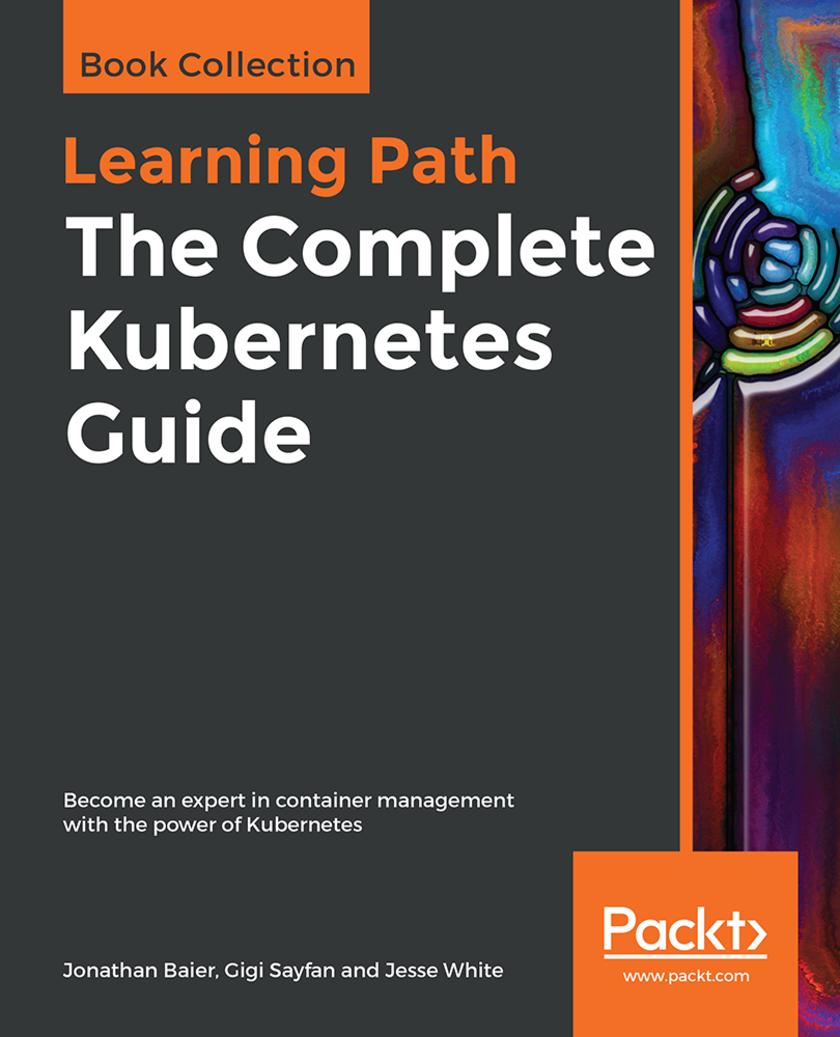
售 价:¥

 6.2
6.2
温馨提示:数字商品不支持退换货,不提供源文件,不支持导出打印
为你推荐

About Packt
Why subscribe?
Packt.com
Contributors
About the authors
Packt is searching for authors like you
Preface
Who this book is for
What this book covers
To get the most out of this book
Download the example code files
Conventions used
Get in touch
Reviews
Introduction to Kubernetes
Technical requirements
A brief overview of containers
What is a container?
cgroups
Namespaces
Union filesystems
Why are containers so cool?
The advantages of Continuous Integration/Continuous Deployment
Resource utilization
Microservices and orchestration
Future challenges
Our first clusters
Running Kubernetes on GCE
Kubernetes UI
Grafana
Command line
Services running on the master
Services running on the minions
Tearing down a cluster
Working with other providers
CLI setup
IAM setup
Cluster state storage
Creating your cluster
Other modes
Resetting the cluster
Investigating other deployment automation
Local alternatives
Starting from scratch
Cluster setup
Installing Kubernetes components (kubelet and kubeadm)
Setting up a master
Joining nodes
Networking
Joining the cluster
Summary
Understanding Kubernetes Architecture
What is Kubernetes?
What Kubernetes is not
Understanding container orchestration
Physical machines, virtual machines, and containers
The benefits of containers
Containers in the cloud
Cattle versus pets
Kubernetes concepts
Cluster
Node
Master
Pod
Label
Annotations
Label selectors
Replication controllers and replica sets
Services
Volume
StatefulSet
Secrets
Names
Namespaces
Diving into Kubernetes architecture in-depth
Distributed systems design patterns
Sidecar pattern
Ambassador pattern
Adapter pattern
Multinode patterns
The Kubernetes APIs
Resource categories
Workloads API
Discovery and load balancing
Config and storage
Metadata
Cluster
Kubernetes components
Master components
API server
Etcd
Kube controller manager
Cloud controller manager
Kube-scheduler
DNS
Node components
Proxy
Kubelet
Kubernetes runtimes
The Container Runtime Interface (CRI)
Docker
Rkt
App container
Cri-O
Rktnetes
Is rkt ready for use in production?
Hyper containers
Stackube
Continuous integration and deployment
What is a CI/CD pipeline?
Designing a CI/CD pipeline for Kubernetes
Summary
Building a Foundation with Core Kubernetes Constructs
Technical requirements
The Kubernetes system
Nucleus
Application layer
Governance layer
Interface layer
Ecosystem
The architecture
The Master
Cluster state
Cluster nodes
Master
Nodes (formerly minions)
Core constructs
Pods
Pod example
Labels
The container's afterlife
Services
Replication controllers and replica sets
Our first Kubernetes application
More on labels
Replica sets
Health checks
TCP checks
Life cycle hooks or graceful shutdown
Application scheduling
Scheduling example
Summary
Working with Networking, Load Balancers, and Ingress
Technical requirements
Container networking
The Docker approach
Docker default networks
Docker user-defined networks
The Kubernetes approach
Networking options
Networking comparisons
Weave
Flannel
Project Calico
Canal
Kube-router
Balanced design
Advanced services
External services
Internal services
Custom load balancing
Cross-node proxy
Custom ports
Multiple ports
Ingress
Types of ingress
Migrations, multicluster, and more
Custom addressing
Service discovery
DNS
Multitenancy
Limits
A note on resource usage
Summary
Using Critical Kubernetes Resources
Designing the Hue platform
Defining the scope of Hue
Hue components
Hue microservices
Planning workflows
Automatic workflows
Human workflows
Budget-aware workflows
Using Kubernetes to build the Hue platform
Using Kubectl effectively
Understanding Kubectl resource configuration files
Deploying long-running microservices in pods
Creating pods
Decorating pods with labels
Deploying long-running processes with deployments
Updating a deployment
Separating internal and external services
Deploying an internal service
Creating the hue-reminders service
Exposing a service externally
Ingress
Using namespace to limit access
Launching jobs
Running jobs in parallel
Cleaning up completed jobs
Scheduling cron jobs
Mixing non-cluster components
Outside-the-cluster-network components
Inside-the-cluster-network components
Managing the Hue platform with Kubernetes
Using liveness probes to ensure your containers are alive
Using readiness probes to manage dependencies
Employing Init Containers for orderly pod bring-up
Sharing with DaemonSet pods
Evolving the Hue platform with Kubernetes
Utilizing Hue in enterprises
Advancing science with Hue
Educating the kids of the future with Hue
Summary
Exploring Kubernetes Storage Concepts
Technical requirements
Persistent storage
Temporary disks
Cloud volumes
GCE Persistent Disks
AWS Elastic Block Store
Other storage options
PersistentVolumes and Storage Classes
Dynamic volume provisioning
StatefulSets
A stateful example
Summary
Monitoring and Logging
Technical requirements
Monitoring operations
Built-in monitoring
Exploring Heapster
Customizing our dashboards
FluentD and Google Cloud Logging
FluentD
Maturing our monitoring operations
GCE (Stackdriver)
Signing up for GCE monitoring
Alerts
Beyond system monitoring with Sysdig
Sysdig Cloud
Detailed views
Topology views
Metrics
Alerting
The Sysdig command line
The Csysdig command-line UI
Prometheus
Prometheus summary
Prometheus installation choices
Tips for creating an Operator
Installing Prometheus
Summary
Monitoring, Logging, and Troubleshooting
Monitoring Kubernetes with Heapster
cAdvisor
Installing Heapster
InfluxDB backend
The storage schema
CPU
Filesystem
Memory
Network
Uptime
Grafana visualization
Performance analysis with the dashboard
Top-level view
Cluster
Workloads
Discovery and load balancing
Adding central logging
Planning central logging
Fluentd
Elasticsearch
Kibana
Detecting node problems
Node problem detector
DaemonSet
Problem daemons
Troubleshooting scenarios
Designing robust systems
Hardware failure
Quotas, shares, and limits
Bad configuration
Cost versus performance
Managing cost on the cloud
Managing cost on bare metal
Managing cost on hybrid clusters
Using Prometheus
What are operators?
The Prometheus Operator
Installing Prometheus with kube-prometheus
Monitoring your cluster with Prometheus
Summary
Operating Systems, Platforms, and Cloud and Local Providers
Technical requirements
The importance of standards
The OCI Charter
The OCI
Container Runtime Interface
Trying out CRI-O
More on container runtimes
CNCF
Standard container specification
CoreOS
rkt
etcd
Kubernetes with CoreOS
Tectonic
Dashboard highlights
Hosted platforms
Amazon Web Services
Microsoft Azure
Google Kubernetes Engine
Summary
Creating Kubernetes Clusters
A quick single-node cluster with Minikube
Getting ready
On Windows
On macOS
Creating the cluster
Troubleshooting
Checking out the cluster
Doing work
Examining the cluster with the dashboard
Creating a multinode cluster using kubeadm
Setting expectations
Getting ready
Preparing a cluster of vagrant VMs
Installing the required software
The host file
The vars.yml file
The playbook.yml file
Creating the cluster
Initializing the master
Setting up the pod network
Adding the worker nodes
Creating clusters in the cloud (GCP, AWS, and Azure)
The cloud-provider interface
Google Cloud Platform (GCP)
Amazon Web Services (AWS)
Amazon Elastic Container Service for Kubernetes (EKS)
Fargate
Azure
Alibaba Cloud
Creating a bare-metal cluster from scratch
Use cases for bare metal
When should you consider creating a bare-metal cluster?
The process
Using virtual private cloud infrastructure
Bootkube
Summary
Cluster Federation and Multi-Tenancy
Technical requirements
Introduction to federation
Why federation?
The building blocks of federation
Key components
Federated services
Setting up federation
Contexts
New clusters for federation
Initializing the federation control plane
Adding clusters to the federation system
Federated resources
Federated configurations
Federated horizontal pod autoscalers
How to use federated HPAs
Other federated resources
Events
Jobs
True multi-cloud
Getting to multi-cloud
Deleting the cluster
Summary
Cluster Authentication, Authorization, and Container Security
Basics of container security
Keeping containers contained
Resource exhaustion and orchestration security
Image repositories
Continuous vulnerability scanning
Image signing and verification
Kubernetes cluster security
Secure API calls
Secure node communication
Authorization and authentication plugins
Admission controllers
RBAC
Pod security policies and context
Enabling PodSecurityPolicies
Additional considerations
Securing sensitive application data (secrets)
Summary
Running Stateful Applications with Kubernetes
Stateful versus stateless applications in Kubernetes
Understanding the nature of distributed data-intensive apps
Why manage state in Kubernetes?
Why manage state outside of Kubernetes?
Shared environment variables versus DNS records for discovery
Accessing external data stores via DNS
Accessing external data stores via environment variables
Creating a ConfigMap
Consuming a ConfigMap as an environment variable
Using a redundant in-memory state
Using DaemonSet for redundant persistent storage
Applying persistent volume claims
Utilizing StatefulSet
When to use StatefulSet
The components of StatefulSet
Running a Cassandra cluster in Kubernetes
Quick introduction to Cassandra
The Cassandra Docker image
Exploring the run.sh script
Hooking up Kubernetes and Cassandra
Digging into the Cassandra configuration
The custom seed provider
Creating a Cassandra headless service
Using StatefulSet to create the Cassandra cluster
Dissecting the stateful set configuration file
Using a replication controller to distribute Cassandra
Dissecting the replication controller configuration file
Assigning pods to nodes
Using DaemonSet to distribute Cassandra
Summary
Rolling Updates, Scalability, and Quotas
Horizontal pod autoscaling
Declaring horizontal pod autoscaler
Custom metrics
Using custom metrics
Autoscaling with kubectl
Performing rolling updates with autoscaling
Handling scarce resources with limits and quotas
Enabling resource quotas
Resource quota types
Compute resource quota
Storage resource quota
Object count quota
Quota scopes
Requests and limits
Working with quotas
Using namespace-specific context
Creating quotas
Using limit ranges for default compute quotas
Choosing and managing the cluster capacity
Choosing your node types
Choosing your storage solutions
Trading off cost and response time
Using effectively multiple node configurations
Benefiting from elastic cloud resources
Autoscaling instances
Mind your cloud quotas
Manage regions carefully
Considering Hyper.sh (and AWS Fargate)
Pushing the envelope with Kubernetes
Improving the performance and scalability of Kubernetes
Caching reads in the API server
The pod life cycle event generator
Serializing API objects with protocol buffers
etcd3
Other optimizations
Measuring the performance and scalability of Kubernetes
The Kubernetes SLOs
Measuring API responsiveness
Measuring end-to-end pod startup time
Testing Kubernetes at scale
Introducing the Kubemark tool
Setting up a Kubemark cluster
Comparing a Kubemark cluster to a real-world cluster
Summary
Advanced Kubernetes Networking
Understanding the Kubernetes networking model
Intra-pod communication (container to container)
Inter-pod communication (pod to pod)
Pod-to-service communication
External access
Kubernetes networking versus Docker networking
Lookup and discovery
Self-registration
Services and endpoints
Loosely coupled connectivity with queues
Loosely coupled connectivity with data stores
Kubernetes ingress
Kubernetes network plugins
Basic Linux networking
IP addresses and ports
Network namespaces
Subnets, netmasks, and CIDRs
Virtual Ethernet devices
Bridges
Routing
Maximum transmission unit
Pod networking
Kubenet
Requirements
Setting the MTU
Container Networking Interface (CNI)
Container runtime
CNI plugin
Kubernetes networking solutions
Bridging on bare metal clusters
Contiv
Open vSwitch
Nuage networks VCS
Canal
Flannel
Calico project
Romana
Weave net
Using network policies effectively
Understanding the Kubernetes network policy design
Network policies and CNI plugins
Configuring network policies
Implementing network policies
Load balancing options
External load balancer
Configuring an external load balancer
Via configuration file
Via Kubectl
Finding the load balancer IP addresses
Preserving client IP addresses
Specifying original client IP address preservation
Understanding potential in even external load balancing
Service load balancer
Ingress
HAProxy
Utilizing the NodePort
Custom load balancer provider using HAProxy
Running HAProxy Inside the Kubernetes cluster
Keepalived VIP
Træfic
Writing your own CNI plugin
First look at the loopback plugin
Building on the CNI plugin skeleton
Reviewing the bridge plugin
Summary
Kubernetes Infrastructure Management
Technical requirements
Planning a cluster
Picking what's right
Securing the cluster
Tuning examples
Upgrading the cluster
Upgrading PaaS clusters
Scaling the cluster
On GKE and AKS
DIY clusters
Node maintenance
Additional configuration options
Summary
Customizing Kubernetes - API and Plugins
Working with the Kubernetes API
Understanding OpenAPI
Setting up a proxy
Exploring the Kubernetes API directly
Using Postman to explore the Kubernetes API
Filtering the output with httpie and jq
Creating a pod via the Kubernetes API
Accessing the Kubernetes API via the Python client
Dissecting the CoreV1API group
Listing objects
Creating objects
Watching objects
Invoking Kubectl programmatically
Using Python subprocess to run Kubectl
Extending the Kubernetes API
Understanding the structure of a custom resource
Developing custom resource definitions
Integrating custom resources
Finalizing custom resources
Validating custom resources
Understanding API server aggregation
Utilizing the service catalog
Writing Kubernetes plugins
Writing a custom scheduler plugin
Understanding the design of the Kubernetes scheduler
The scheduler
Registering an algorithm provider
Configuring the scheduler
Packaging the scheduler
Deploying the custom scheduler
Running another custom scheduler in the cluster
Assigning pods to the custom scheduler
Verifying that the pods were scheduled using the custom scheduler
Employing access control webhooks
Using an authentication webhook
Using an authorization webhook
Using an admission control webhook
Configuring webhook admission controller on the fly
Providing custom metrics for horizontal pod autoscaling
Extending Kubernetes with custom storage
Taking advantage of FlexVolume
Benefitting from CSI
Summary
Handling the Kubernetes Package Manager
Understanding Helm
The motivation for Helm
The Helm architecture
Helm components
The Tiller server
The Helm client
Using Helm
Installing Helm
Installing the Helm client
Installing the Tiller server
Installing Tiller in-cluster
Installing Tiller locally
Using Alternative Storage Backend
Finding charts
Installing packages
Checking installation status
Customizing a chart
Additional installation options
Upgrading and rolling back a release
Deleting a release
Working with repositories
Managing charts with Helm
Taking advantage of starter packs
Creating your own charts
The Chart.yaml file
Versioning charts
The appVersion field
Deprecating charts
Chart metadata files
Managing chart dependencies
Managing dependencies with requirements.yaml
Using special fields in requirements.yaml
Using templates and values
Writing template files
Using pipelines and functions
Embedding predefined values
Feeding values from a file
Scope, dependencies, and values
Summary
The Future of Kubernetes
The road ahead
Kubernetes releases and milestones
Kubernetes special interest and working groups
Competition
The value of bundling
Docker Swarm
Mesos/Mesosphere
Cloud platforms
AWS
Azure
Alibaba Cloud
The Kubernetes momentum
Community
GitHub
Conferences and meetups
Mindshare
Ecosystem
Public cloud providers
OpenShift
OpenStack
Other players
Education and training
Modularization and out-of-tree plugins
Service meshes and serverless frameworks
Service meshes
Serverless frameworks
Summary
Other Books You May Enjoy
Leave a review - let other readers know what you think

买过这本书的人还买过
读了这本书的人还在读
同类图书排行榜



 购物车
购物车 个人中心
个人中心